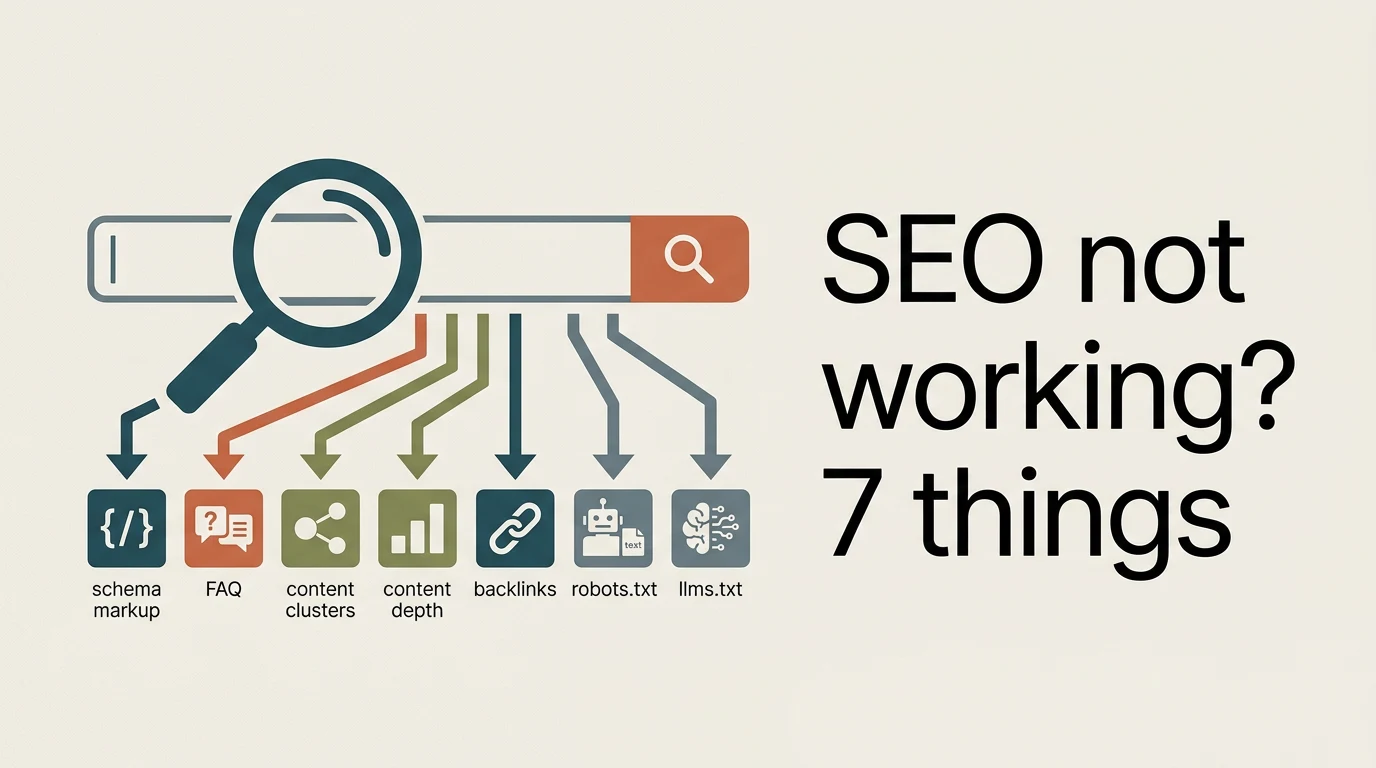
In short: Fix seven things first: schema, your FAQ page, clusters, thin pages, backlinks, robots.txt and llms.txt. None of them guarantees a ranking, but together they remove the usual reasons a site goes nowhere.
Plenty of people doing SEO marketing tell me, "Bro, SEO just isn't working." Before you agree, check seven things on your own site. I listed them in a reel, and this post walks through each one with the sources I read.
The question I'm answering: my website isn't ranking, so what should I check and fix first? When you finish reading, you can go through all seven on your own site, one at a time.
One thing before we start. I did the research again for this post, and two points from the reel need a more careful version because the facts have moved since I recorded it. I flag both as we get to them: FAQ schema and llms.txt.
1. Check your schema code
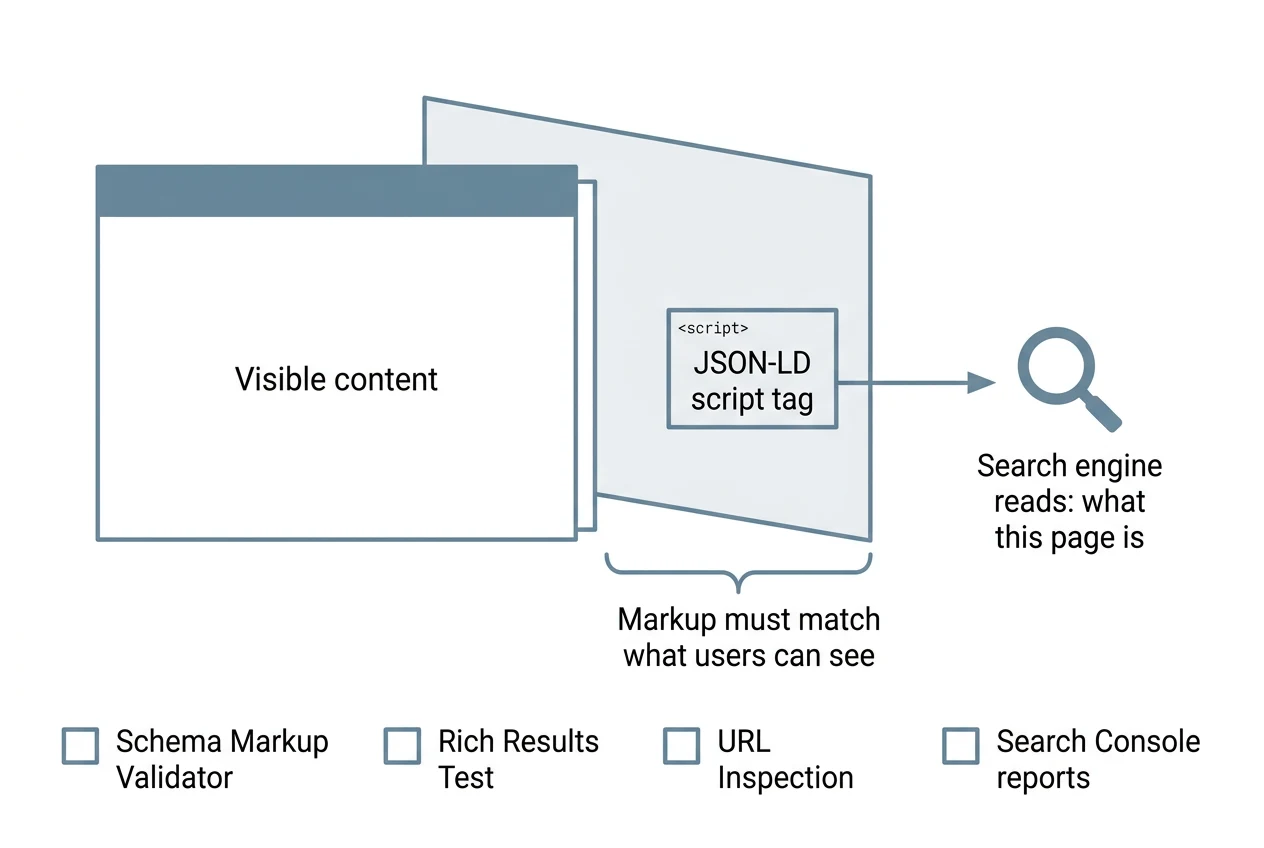
Schema is extra code on a page that tells search engines what the page is. Google's own documentation says JSON-LD is the recommended format, and it is a script tag you can add and maintain without touching the visible page. Two rules from that page matter:
- The markup must describe content users can actually see on that page.
- Complete, accurate properties matter more than lots of thin ones.
To test it, use these tools:
- Schema Markup Validator from schema.org. It checks that your markup is valid schema.
- Google's Rich Results Test, for the features Google supports.
- The URL Inspection tool in Search Console, to confirm Google found the markup on a page.
- The rich result reports in Search Console, to catch markup that breaks later.
Here is the careful version of my reel point. Google's updates page says the FAQ rich result "will no longer appear in Google Search starting May 7, 2026," and on June 15, 2026 it says the feature is no longer shown and the documentation was removed. Before that, since September 2023, it only showed for well-known government and health sites.
So do not add FAQ schema expecting the expandable questions in Google results, because they are gone. FAQPage is still a valid type on schema.org, and I have not found Google calling it invalid, but I would not spend a day on it before fixing the other six.
2. Make your FAQ page clear
The page matters more than the markup. Write a simple answer to every question a customer asks you. Put the question as a heading and the answer straight under it, in plain words.
If you do add schema, keep it matched to the visible text:
<script type="application/ld+json">
{
  "@context": "https://schema.org",
  "@type": "FAQPage",
  "mainEntity": [{
    "@type": "Question",
    "name": "Do you work with small businesses?",
    "acceptedAnswer": {
      "@type": "Answer",
      "text": "Yes. Here is how we start and what we need from you."
    }
  }]
}
</script>
Then run it through the Schema Markup Validator. If an answer is in the markup but not on the page, delete it from the markup.
3. Plan clusters before you write
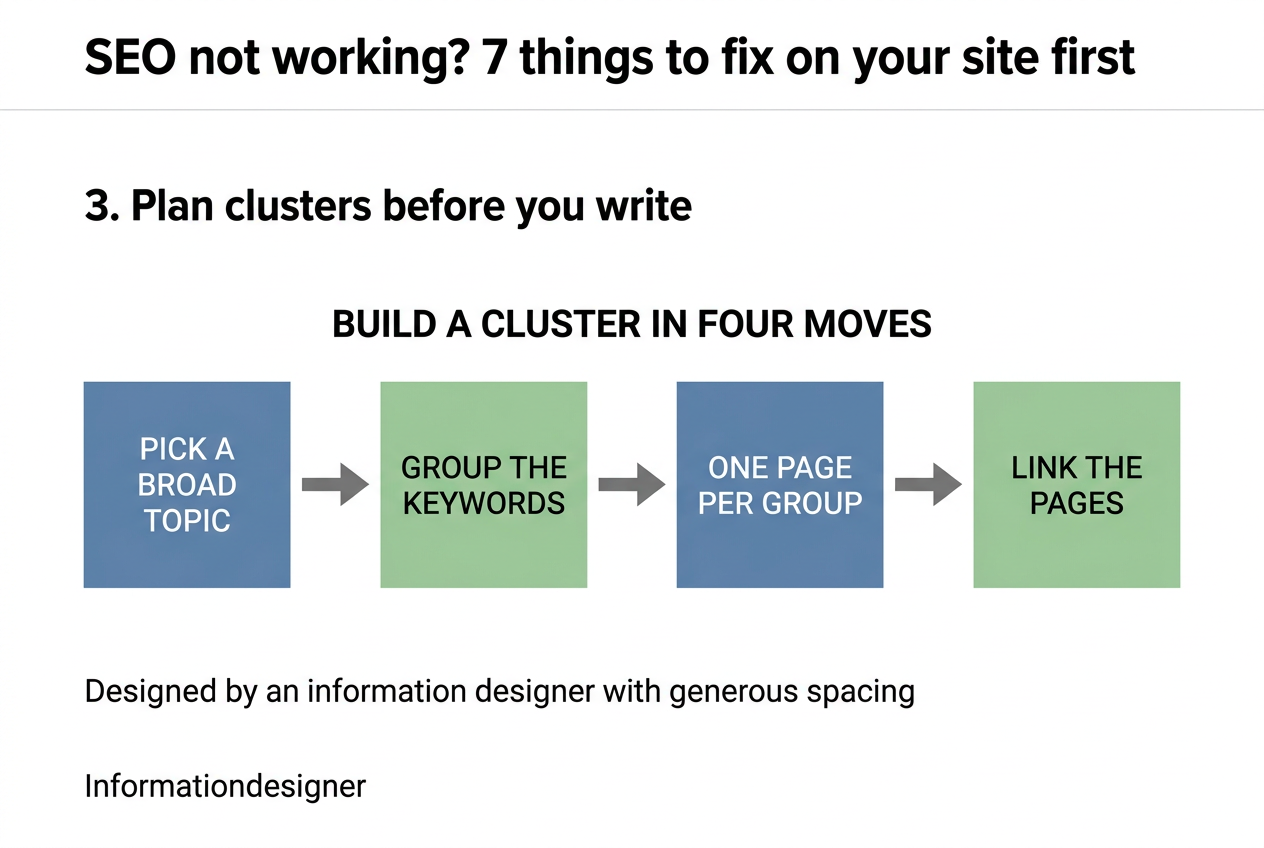
A cluster is a group of pages on one topic. Ahrefs describes it as a main page, supporting pages that cover subtopics in more depth, and internal links between all of them. So the order is:
- Pick a topic broad enough to give you several subtopics.
- Collect the keywords around it and group them.
- Make one page for each group.
- Link the pages to each other.
How do you group? Ahrefs uses SERP overlap. Search the keywords, and if the same pages rank for several of them, one page can target them all, but if the results differ, they need separate pages. That also protects you from two of your own pages competing for the same search, which is called cannibalisation.
For the links, Google's crawlable links guidance is short. Use real <a href> links, write descriptive anchor text, and make sure every page you care about has at least one link from another page on your site. Avoid "click here."
A fair warning: Ahrefs itself notes that Google has never explicitly endorsed topic clusters. It is a sound way to organise a site, but it is not a Google rule.
4. Make every page thick, not thin
Google does define thin. Its manual actions help page describes thin content as low-quality or shallow pages that don't offer much unique or valuable content, and its examples are thin affiliate pages, scraped content, low-quality guest posts and doorway pages.
Its helpful content questions show what thick looks like:
- Does the page give a substantial, complete description of the topic?
- Does it go beyond the obvious?
- If it draws on other sources, does it add real value instead of rewording them?
- Is it better than other results for the same search?
None of those questions is about word count. Depth means you answered the whole question, with your own examples. A 600-word page that fully answers a narrow question beats a padded one. And do not mass-produce pages, because Google's spam policy calls that scaled content abuse.
5. Backlinks from high-DR sites
DR is Domain Rating, an Ahrefs score. Ahrefs' explanation says it shows the relative strength of a site's backlink profile, on a 0 to 100 scale that gets harder to climb as it rises. In simple terms, it looks at which sites link to you with a followed link, and it shares out each of their scores based on how many sites they link to.
Some limits Ahrefs states itself:
- Nofollow links don't raise DR.
- Only the first link from a given domain counts.
- DR doesn't measure search traffic.
- Ahrefs doesn't claim Google uses it, and says "Google ranks pages, not websites."
So treat high-DR sites as a good place to look for links, not as a goal in themselves. I've already made videos on how I get these links. They are on my Instagram profile, so go watch them.
To find these links faster, use our extension for do follow links: blogwriter.pro/tools/dofollow. Whatever you use, open the live page afterwards and check the link tag yourself, because a link only counts for DR if it is followed.
6. Backlinks from friendly business websites in your network
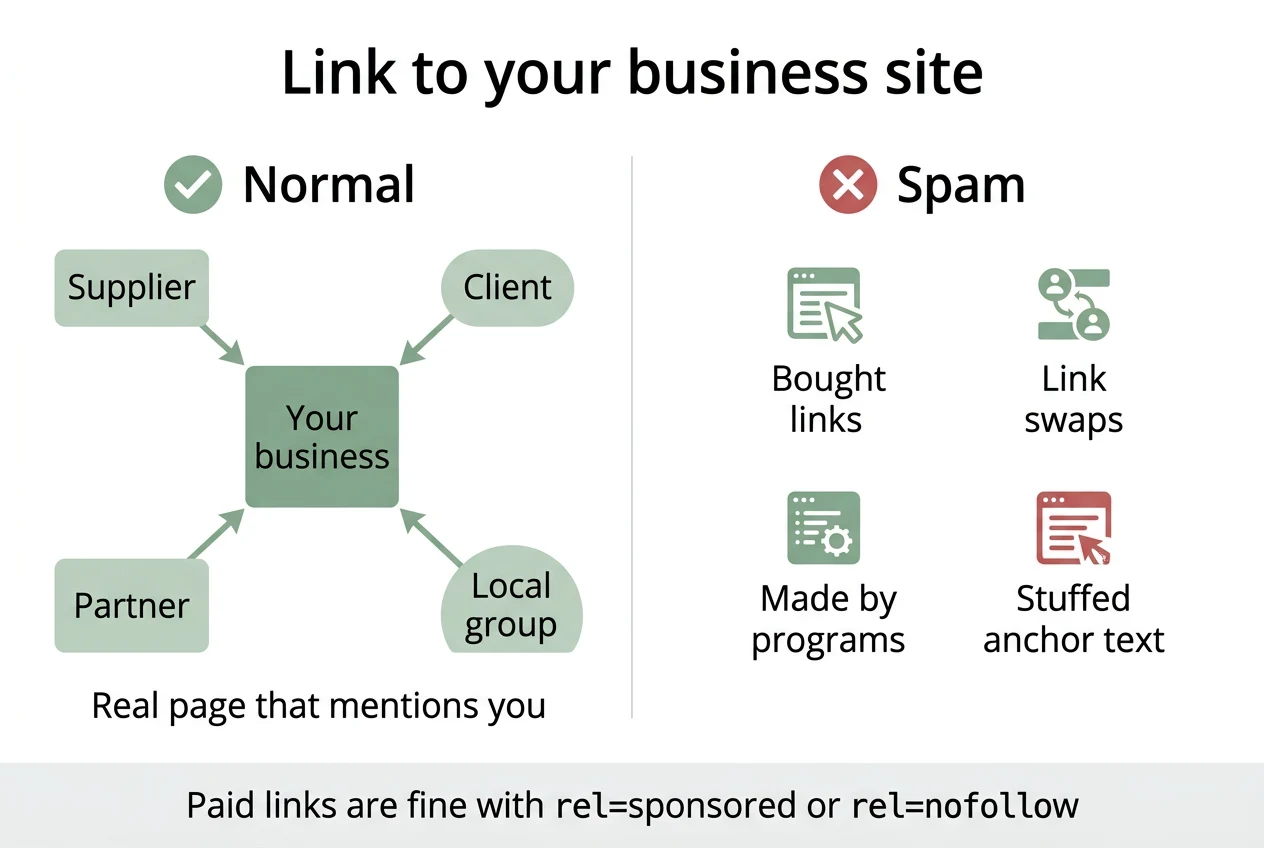
The businesses you already know are a natural source: a supplier, a client, a partner, a local group. A link from a real business page that mentions you is the normal kind.
Stay inside Google's link spam policy. It lists these as spam when done to manipulate rankings:
- Buying or selling links, including sending a product in return for a link.
- Excessive "link to me and I'll link to you" swaps, and partner pages that exist only to cross-link.
- Links generated by programs or services.
- Keyword-stuffed anchor text in sponsored posts or guest posts.
The same page says paid or sponsored links are fine when the tag carries rel="sponsored" or rel="nofollow". A good test: would this link exist if search engines didn't? If yes, you're probably fine.
7. Check robots.txt and llms.txt
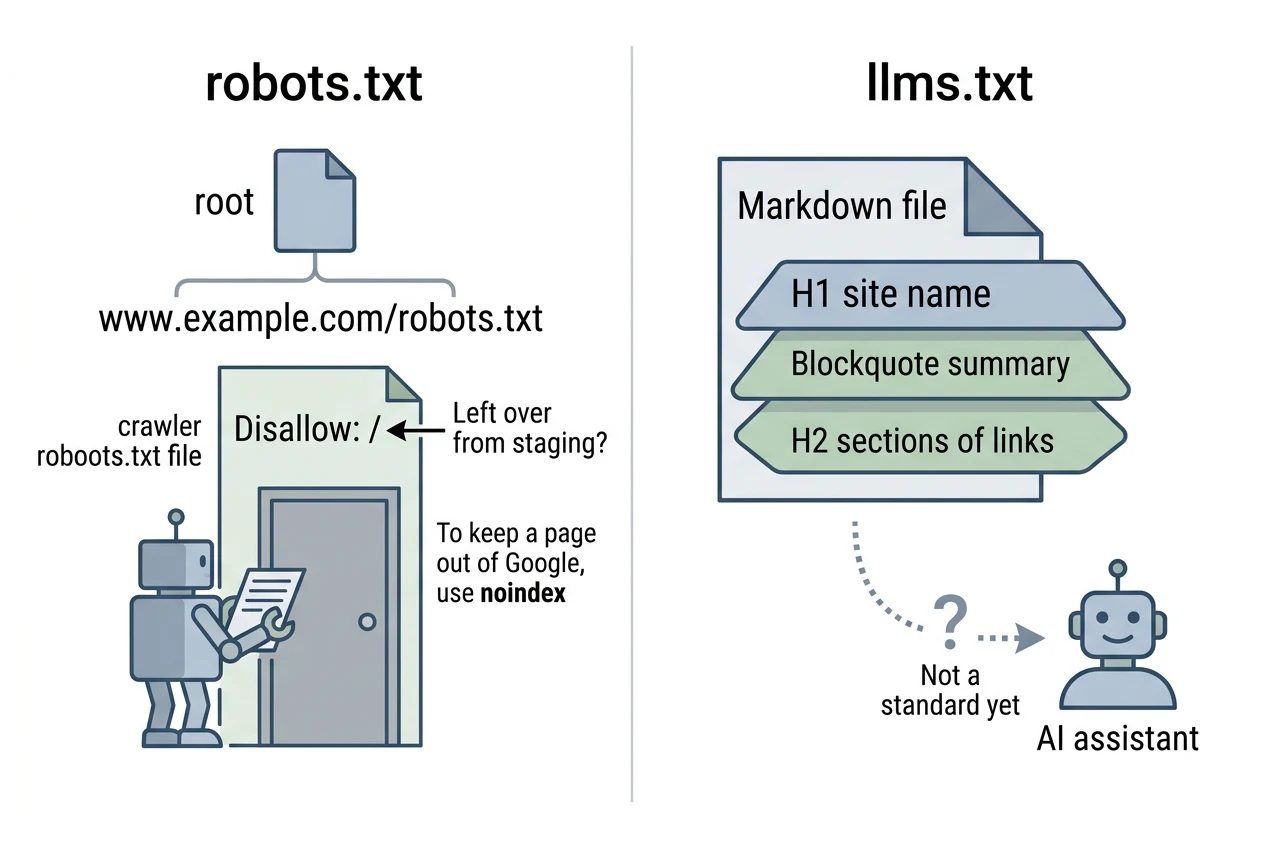
robots.txt. Google's documentation says the file must be named robots.txt, saved as UTF-8 plain text, and placed at the root of the host, such as www.example.com/robots.txt. A simple version looks like this:
User-agent: *
Disallow: /admin/

Sitemap: https://www.example.com/sitemap.xml
Open /robots.txt in a private window to see that it's public. Then check it with the robots.txt report in Search Console. The mistake to look for is a Disallow: / left over from a staging site. Also note that Google says robots.txt is not a way to keep a page out of Google, so for that, use noindex.
llms.txt. It's a proposal from Jeremy Howard, published on llmstxt.org. It is a Markdown file with an H1 site name, a short blockquote summary, and H2 sections of links to your key pages:
# Example Co

> A short summary of what we do and who we help.

## Key pages
- [Services](https://www.example.com/services): what we offer
- [FAQ](https://www.example.com/faq): answers to common questions
Now the careful version of my reel point. I said that with a right llms.txt, AI platforms are more likely to suggest your site, and I can't prove that. The proposal calls itself a proposal, and it is not a standard every AI tool follows. Google's John Mueller said "I think the hope is bigger than the reality," and that now none of this happens, though he's fine with sites trying it. Some site owners report AI crawlers fetching the file and others report none, and no major provider has publicly committed to reading it.
My advice: make the file, since it costs little, but do it after the first six, and don't expect it to carry your SEO marketing.
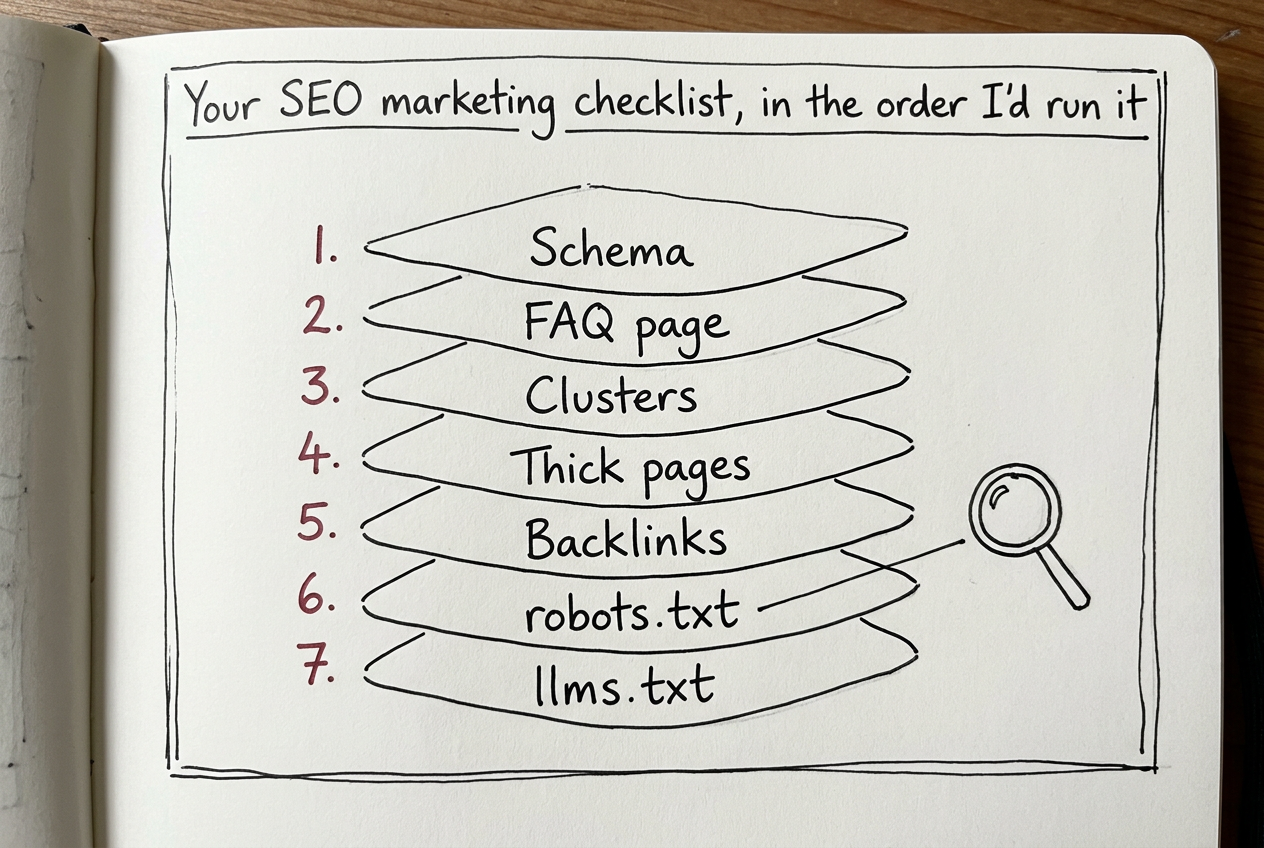
Your SEO marketing checklist, in the order I'd run it
- Open your key pages in the Schema Markup Validator. Fix errors.
- Read your FAQ page as a customer. Is every answer plain and on the page?
- List the clusters for your main keyword. Does each have its own page, and do they link to each other?
- Pick your five weakest pages. Are they thin or complete?
- Look at who links to you. Ask one friendly business for a real link.
- Open
/robots.txt. Is anything blocked by mistake? - Add an llms.txt if you want one.
If you want to work through this with your team, share this post with your marketing team. For full details, find the Koffee with Kishan website through the link in my Instagram bio and leave your details there.
Keep reading.
Drop your email and the rest of this post opens, along with everything else I write here.
ONE EMAIL, ONCE. NEVER SHARED.
Thanks for reading this far.
I am open to remote growth and Entrepreneur-in-Residence roles in crypto. If any of this was useful, the rest of what I have built is one click away.